

 7 min read
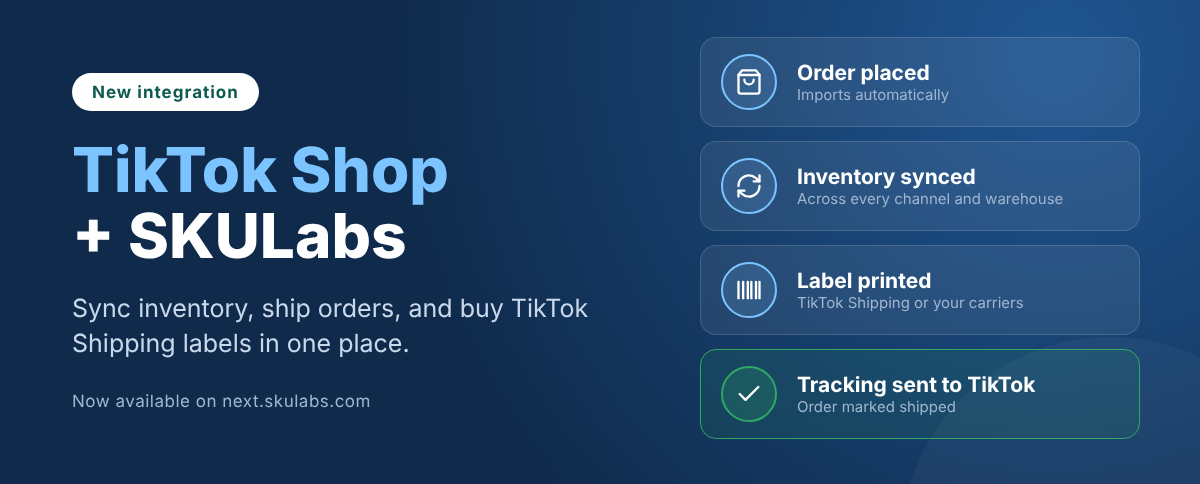
TikTok Shop is now a native sales channel in SKULabs. The SKULabs TikTok Shop integration imports your TikTok orders automatically, syncs inventory back to TikTok, and lets you buy TikTok Shipping labels from the same screen you use for Shopify, Amazon, and Walmart orders.
Availability: The TikTok Shop integration is currently available only on next.skulabs.com. Contact our team to get it set up for your account.
Key takeaways
- SKULabs connects directly to TikTok Shop, with no Shopify store in between.
- Orders import automatically, and inventory syncs back to TikTok across multiple warehouses.
- You can buy TikTok Shipping labels or ship with your own approved carriers, all from SKULabs.
- USPS manifests for TikTok Shipping labels are created in TikTok Seller Center, not in outside software.
- SKULabs is listed in the TikTok Shop app marketplace.
What is the SKULabs TikTok Shop integration?
The SKULabs TikTok Shop integration is a direct connection between your TikTok Shop and SKULabs, a multi-channel inventory, warehouse, and order management system. It brings TikTok orders into the same pick, pack, and ship workflow as the rest of your sales channels, and keeps TikTok’s stock levels in sync with your real inventory.
SKULabs is listed in the TikTok Shop app marketplace under E-commerce Management.
Why is TikTok Shop fulfillment different?
TikTok Shop runs on stricter, more automated rules than most sales channels. Sellers who treat it like a Shopify store tend to find out the hard way. Here are the rules that matter most, and how SKULabs handles each one.
| TikTok Shop rule | What it means | How SKULabs helps |
|---|---|---|
| 1-hour free cancellation window | New orders sit “On hold” for an hour, and buyers can cancel without contacting you. | Choose whether to import On Hold orders, so you don’t pick an order that gets cancelled. |
| Dispatch deadlines | TikTok sets a ship-by deadline from your handling time and tracks your Late Dispatch Rate. | Orders import automatically and shipping rules pick the service, so orders are ready to ship without manual steps. |
| Approved carriers only | Seller Shipping tracking must come from a carrier on TikTok’s list. Custom carriers are rejected. | Tracking goes back to TikTok from your connected carrier automatically. |
| Hidden buyer details | TikTok masks the recipient’s name, street address, and phone on TikTok Shipping orders. | Buy the required TikTok Shipping label directly from the SKULabs ship screen. |
| Manifests stay in TikTok | USPS manifests for TikTok Shipping labels can only be created in Seller Center. | SKULabs shows a notice pointing you to the right place in Seller Center. |
What does the SKULabs TikTok Shop integration do?
The integration covers the full TikTok Shop order flow, from import to tracking.
| Feature | What it does |
|---|---|
| Automatic order import | TikTok Shop orders import into SKULabs alongside every other sales channel, ready to pick, pack, and ship. |
| “On Hold” order control | The Import “On Hold” orders store setting decides whether orders come in during TikTok’s 1-hour cancellation window. |
| Inventory sync to TikTok | Stock levels push back to TikTok Shop, so TikTok sells from the same inventory as your other channels. |
| Multi-warehouse inventory | Supports TikTok Shop’s multi-warehouse setup, with stock synced per location. |
| TikTok Shipping labels | Get rates and buy TikTok Shipping labels from the SKULabs ship screen. |
| Shipping rules | Automatically assign a TikTok Shipping service to orders that match your rules. |
| Seller Shipping | Ship with your own carrier accounts, as long as the carrier is on TikTok’s approved list. |
| Tracking sent to TikTok | When a label prints, SKULabs marks the order shipped on TikTok with its tracking number. |
Because TikTok shares one inventory pool with Shopify, Amazon, Walmart, and your other channels, a viral video that sells out a product updates stock everywhere. That is the fastest way to avoid overselling when a TikTok order spike hits.
TikTok Shipping vs. Seller Shipping: what is the difference?
TikTok gives sellers two ways to ship, and SKULabs supports both. Which one applies is set per warehouse in your TikTok Seller Center.
| TikTok Shipping | Seller Shipping | |
|---|---|---|
| Who provides the label | TikTok | You, through your own carrier accounts |
| Where you buy it | SKULabs ship screen, using TikTok’s rates | SKULabs ship screen, using your connected carriers |
| Available carriers and services | Set by TikTok for your shop | Any connected carrier on TikTok’s approved list |
| Buyer name and street address | Hidden by TikTok | Visible |
| USPS manifests | Created in TikTok Seller Center | Created through your carrier, as usual |
The carriers and services you see for TikTok Shipping depend on what TikTok offers your shop. SKULabs shows the options TikTok returns for each order.
How do I create a USPS manifest for TikTok Shipping labels?
TikTok does not let outside software create manifests for TikTok Shipping labels, so this one step happens in TikTok Seller Center. If you try from SKULabs, you will see a notice pointing you to TikTok.
A manifest is a single form listing the day’s packages. USPS scans it once instead of every package, which starts tracking for your buyers sooner.
- In TikTok Seller Center, go to Manage Orders.
- Open the Shipping Label menu and select Create Manifest.
- Choose the warehouse. Every label on a manifest must ship from the same location.
- Download and print the manifest, then hand it to USPS with your packages.
Keep these rules in mind:
- Only USPS labels bought through TikTok Shipping can go on a manifest.
- Create the manifest before 8pm local time.
- Each pickup location needs its own manifest, with up to 7,000 packages each.
- You can turn on automatic manifests in Seller Center to generate one daily at your cut-off time.
How to get started with TikTok Shop in SKULabs
To connect your TikTok Shop, contact the SKULabs team and we will get your store set up on next.skulabs.com. Once it is connected:
- Choose whether to import “On Hold” orders during TikTok’s cancellation window.
- Pick how initial stock is imported, including multi-warehouse inventory.
- Set up shipping rules for your TikTok Shipping or Seller Shipping orders.
- If you use TikTok Shipping with USPS, turn on automatic manifests in Seller Center.
TikTok Shop availability depends on your shop’s region and settings.
Frequently asked questions
Does SKULabs integrate with TikTok Shop?
Yes. SKULabs connects directly to TikTok Shop to import orders, sync inventory, buy TikTok Shipping labels, and send tracking back to TikTok. The integration is currently available on next.skulabs.com.
Can I buy TikTok Shipping labels in SKULabs?
Yes. You can get rates and buy TikTok Shipping labels from the SKULabs ship screen. The carriers and services available depend on what TikTok offers your shop.
Does SKULabs sync inventory to TikTok Shop?
Yes. SKULabs pushes stock levels to TikTok Shop, including TikTok’s multi-warehouse inventory, so TikTok sells from the same stock as your other channels.
Can I use my own carrier accounts for TikTok Shop orders?
Yes, on Seller Shipping orders, as long as the carrier is on TikTok’s approved carrier list.
Can SKULabs create USPS manifests for TikTok Shipping labels?
No. TikTok does not allow outside software to create manifests for TikTok Shipping labels. Create them in TikTok Seller Center under Manage Orders, Shipping Label, Create Manifest.
Why are buyer addresses hidden on some TikTok orders?
TikTok masks the recipient’s name, street address, and phone on orders shipped with TikTok Shipping. Those orders must ship on a TikTok Shipping label.
Is SKULabs in the TikTok Shop app marketplace?
Yes. SKULabs is listed in the TikTok Shop app marketplace under E-commerce Management.
The bottom line
TikTok Shop can turn one video into hundreds of orders overnight. Running it from the same system as your other channels keeps inventory accurate, keeps labels and tracking flowing back to TikTok, and keeps you ahead of TikTok’s dispatch deadlines.
Already selling on TikTok Shop, or about to start? Book a SKULabs demo and we will walk you through the integration with your own orders.


