

 6 min read
 Managing inventory across multiple warehouses creates a new challenge: which warehouse should fulfill each order?
If every order is assigned manually, your team spends unnecessary time deciding where it should ship from. If everything ships from a single warehouse, you’re often paying more for shipping and increasing delivery times.
That’s why we’ve introduced Automated Geo Routing in SKULabs.
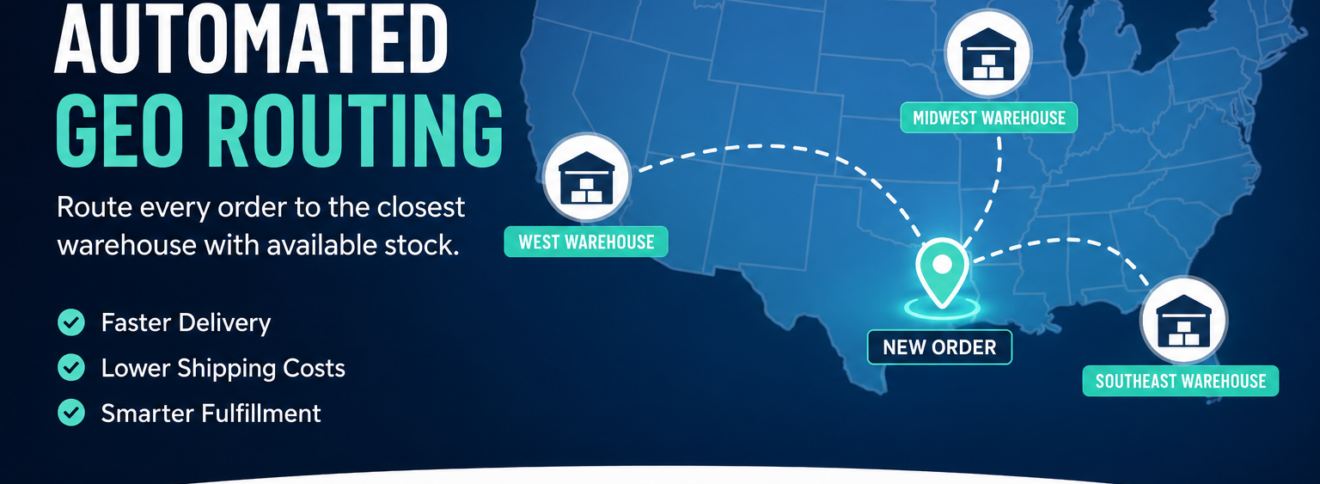
Geo Routing automatically determines the best warehouse to fulfill each order based on the customer’s shipping ZIP code and available inventory. The result is faster deliveries, lower shipping costs, and a simpler fulfillment workflow for your warehouse team.
What is Automated Geo Routing?
Automated Geo Routing is an intelligent order routing feature that automatically assigns each order line to the warehouse that makes the most sense.
When an order is imported into SKULabs, the system evaluates:
- The customer’s shipping ZIP code
- The distance between the customer and each warehouse
- Available inventory at every warehouse
Using this information, SKULabs automatically routes inventory from the warehouse that is geographically closest while ensuring the product is actually available.
Instead of your team deciding where every order should ship from, SKULabs makes that decision instantly.
Enable Geo Routing in Minutes
Geo Routing is configured individually for each connected sales channel.
Simply navigate to:
Settings → Inventory → Geo Route
From there you can:
- Enable or disable Geo Routing for each sales channel.
- Choose which warehouses participate in routing.
- Configure warehouse priority.
- Control whether orders can be split across multiple warehouses.
This flexibility allows every sales channel to follow its own fulfillment strategy.
Priority Warehouses
Some businesses always want to fulfill from a specific location whenever possible.
Geo Routing supports this with Priority Warehouses.
When a warehouse is placed at the top of the priority list, SKULabs will always attempt to fulfill orders from that location first—even if another warehouse is physically closer to the customer.
If the priority warehouse doesn’t have enough inventory, the system automatically falls back to the closest warehouse that does.
This provides the best of both worlds:
- Preferred fulfillment location
- Automatic fallback when inventory isn’t available
Routing Based on Inventory Availability
Distance alone isn’t enough.
Imagine a customer in California places an order. Your Arizona warehouse is closest, but the item is out of stock there.
Instead of creating a stock issue, SKULabs immediately evaluates your remaining warehouses and assigns the order to the next closest location with available inventory.
The customer still receives their order, while your team avoids manual intervention.
Split Orders vs. Single-Warehouse Fulfillment
One of the biggest decisions multi-warehouse businesses face is whether orders should be split between locations.
SKULabs gives you both options.
Allow Split Geo Routing
With split routing enabled, every line item is evaluated independently.
If Warehouse A has Product A and Warehouse B has Product B, each warehouse fulfills the items it has available.
This often produces the fastest possible delivery.
Disable Split Geo Routing
Some operations prefer shipping everything together.
By enabling Disable Split Geo Routing, SKULabs changes its routing logic.
Instead of routing each item individually, the system looks for the closest warehouse capable of fulfilling the entire order.
If no warehouse has every item available, SKULabs selects the warehouse capable of fulfilling the greatest number of items.
If inventory limitations prevent the routing requirements from being satisfied, the order receives a Fail Geo Routing tag, allowing your team to quickly identify orders requiring attention.
This gives operations complete control over how multi-item orders are handled.
Re-Routing Existing Orders
Changing your Geo Routing settings doesn’t automatically update orders that are already in SKULabs.
Instead, you can reroute them whenever needed.
SKULabs allows you to:
- Reroute individual orders.
- Bulk reroute multiple orders at once.
For connected sales channels such as Shopify, BigCommerce, Amazon, and others, unstarted orders are automatically rerouted every time the next order sync occurs.
Orders that have already entered the fulfillment process are intentionally left unchanged to avoid disrupting warehouse operations.
Keep Each Warehouse Focused
As businesses grow, warehouse teams should only see the work assigned to their location.
SKULabs makes this simple with Warehouse Filters.
By filtering the Orders page by warehouse, each fulfillment team only sees the orders assigned to them.
This reduces confusion, improves picking efficiency, and helps each warehouse stay focused on its own workload.
Build Your Own Routing Logic with Shipping Rules
Not every business routes inventory the same way.
Some organizations have unique requirements that go beyond simple geographic proximity.
That’s where Shipping Rules come in.
Shipping Rules allow you to create custom routing logic based on virtually any criteria available within SKULabs.
For example, you might:
- Route orders from specific states to a designated warehouse.
- Assign particular order queues to specific fulfillment centers.
- Override default routing for special customers.
- Create routing workflows based on your own operational requirements.
Combined with Automated Geo Routing, Shipping Rules provide the flexibility to support even the most complex fulfillment strategies without requiring manual intervention.
Why Automated Geo Routing Matters
As shipping costs continue to rise, choosing the right fulfillment location has a direct impact on profitability and customer satisfaction.
Automated Geo Routing helps businesses:
- Reduce shipping costs by fulfilling from the closest warehouse.
- Deliver orders faster.
- Eliminate manual warehouse assignment.
- Automatically account for inventory availability.
- Support both split shipments and single-warehouse fulfillment.
- Scale operations across multiple fulfillment locations.
- Maintain flexibility with customizable shipping rules.
Whether you operate two warehouses or twenty, Automated Geo Routing ensures every order is routed intelligently while giving your operations team complete control over how inventory is fulfilled.
Frequently Asked Questions
Does Geo Routing work with multiple warehouses?
Yes. Geo Routing is specifically designed for businesses operating multiple fulfillment locations.
Can I prioritize one warehouse over another?
Yes. You can configure a Priority Warehouse that will always be used first whenever inventory is available.
What happens if the closest warehouse is out of stock?
SKULabs automatically selects the next closest warehouse that has available inventory.
Can I prevent orders from being split across warehouses?
Yes. Enable Disable Split Geo Routing, and SKULabs will attempt to fulfill the entire order from a single warehouse whenever possible.
Do existing orders update automatically after changing Geo Routing settings?
You can manually reroute existing orders individually or in bulk. Orders imported from connected sales channels are automatically rerouted during their next synchronization, provided fulfillment has not already started.


